


This store requires javascript to be enabled for some features to work correctly.













The Pro Editorial Preset Pack allows you to easily adopt the new Editorial editing style that's taking over the Wedding and Portrait industry right now!
We built our own six-figure Wedding business with these presets, now they're yours!
Lauren Depuy


So many photographers struggle with their editing, and it's costing them their dream bookings. Nail the Editorial look today with this incredible toolkit and start your journey to becoming the kind of photographer you've dreamed of becoming.
Alex & Ramona - Nikon
Our Classic Preset gives your images that magazine worthy look with just one click, and can be used as a base for editing your entire gallery.


Our iconic Classic Black & White Preset that makes our work so recognisable across the industry. Strong, chic, timeless.


Enhancing the look and feel of direct flash and helping those whites pop, with extra warmth and richness.


A strong look for high energy parts of the day. Bold contrast with a heavier vignette, giving a classic feel and helping make even a quiet dancefloor feel alive.


Save those beautiful shots that are ruined by tough, indoor lighting. Our go to preset when the ISO is sky high, and the orange lighting is overpowering.


Sara Julia - Sony

£110.00
Regular price £75.00Featuring the exact Lightroom Presets & AI Tools that has enabled us to create work featured by magazines like Vogue and Harpers Bazaar, this collection of 20 Presets is perfect for photographers looking to elevate their editing, reclaim their time and nail the Editorial style that is becoming ever more sought after.
• 14 Timeless Colour and Black & White Editorial Presets that will elevate your editing
• 6 Time saving AI Tools that transform your images in just a click and save your hours in the edit.
• Achieve the Editorial editing style that’s helped us get our work featured in Vogue, Tatler, Harpers Bazaar & so many more!
• All presets work with Canon, Nikon, Sony, Fuji & Leica RAW files.
• Compatible with Lightroom, Lightroom Classic, LR Mobile and Camera RAW/Photoshop.
• Instant Download so you can start editing TODAY!
£110.00
Regular price £75.00Featuring the exact Lightroom Presets & AI Tools that has enabled us to create work featured by magazines like Vogue and Harpers Bazaar, this collection of 20 Presets is perfect for photographers looking to elevate their editing, reclaim their time and nail the Editorial style that is becoming ever more sought after.
• 14 Timeless Colour and Black & White Editorial Presets that will elevate your editing
• 6 Time saving AI Tools that transform your images in just a click and save your hours in the edit.
• Achieve the Editorial editing style that’s helped us get our work featured in Vogue, Tatler, Harpers Bazaar & so many more!
• All presets work with Canon, Nikon, Sony, Fuji & Leica RAW files.
• Compatible with Lightroom, Lightroom Classic, LR Mobile and Camera RAW/Photoshop.
• Instant Download so you can start editing TODAY!
The Pro Editorial Preset Pack includes 14 Chic, Editorial Style Lightroom presets and 6 AI Masking Tools that you can use to transform your images into magazine-worthy shots.
Colour Presets Included:
1.1 Pro Editorial | Classic
1.2 Pro Editorial | Soft
1.3 Pro Editorial | Strong
1.4 Pro Editorial | Warm
1.5 Pro Editorial | Sepia
1.6 Pro Editorial | Direct Flash
1.7 Pro Editorial | Golden Flash
1.8 Pro Editorial | Window Light
1.9 Pro Editorial | Orange Light
Black & White Presets Included:
2.1 Pro Editorial | Classic B&W
2.2 Pro Editorial | Soft B&W
2.3 Pro Editorial | Dreamlike B&W
2.4 Pro Editorial | Strong B&W
2.5 Pro Editorial | Dancefloor B&W
AI Masking Tools Included:
3.1 Pro Editorial | Subject Pop AI
3.2 Pro Editorial | Subject Warmth AI
3.3 Pro Editorial | Sky Saver AI
3.4 Pro Editorial | Flash Enhance AI
3.5 Pro Editorial | Group Photos AI
3.6 Pro Editorial | Backlit Portrait AI
The Pro Editorial Preset Pack includes 14 Chic, Editorial Style Lightroom presets and 6 AI Masking Tools that you can use to transform your images into magazine-worthy shots.
Colour Presets Included:
1.1 Pro Editorial | Classic
1.2 Pro Editorial | Soft
1.3 Pro Editorial | Strong
1.4 Pro Editorial | Warm
1.5 Pro Editorial | Sepia
1.6 Pro Editorial | Direct Flash
1.7 Pro Editorial | Golden Flash
1.8 Pro Editorial | Window Light
1.9 Pro Editorial | Orange Light
Black & White Presets Included:
2.1 Pro Editorial | Classic B&W
2.2 Pro Editorial | Soft B&W
2.3 Pro Editorial | Dreamlike B&W
2.4 Pro Editorial | Strong B&W
2.5 Pro Editorial | Dancefloor B&W
AI Masking Tools Included:
3.1 Pro Editorial | Subject Pop AI
3.2 Pro Editorial | Subject Warmth AI
3.3 Pro Editorial | Sky Saver AI
3.4 Pro Editorial | Flash Enhance AI
3.5 Pro Editorial | Group Photos AI
3.6 Pro Editorial | Backlit Portrait AI
In short, yes!
We shoot on Sony cameras, and so the Presets were originally designed around the A7 range, however we’ve extensively tested these Presets across Canon, Nikon, Fuji, Lumix and Leica cameras and the results are great!
We have photographers using each of the above camera systems editing with these presets right now, and they’re working brilliantly.
You might find that certain cameras will have slightly different colours and contrast, and for best impact you might want to make some tweaks and re-save the Preset to suit.
(Adapting the preset to your taste and saving those changes is as simple as two clicks inside Lightroom)
In short, yes!
We shoot on Sony cameras, and so the Presets were originally designed around the A7 range, however we’ve extensively tested these Presets across Canon, Nikon, Fuji, Lumix and Leica cameras and the results are great!
We have photographers using each of the above camera systems editing with these presets right now, and they’re working brilliantly.
You might find that certain cameras will have slightly different colours and contrast, and for best impact you might want to make some tweaks and re-save the Preset to suit.
(Adapting the preset to your taste and saving those changes is as simple as two clicks inside Lightroom)
Quite simply, yes. The presets will give you the Editorial look with just one click, but you’ll still want to make adjustments where necessary.
These Presets do not effect Colour Temperature settings or the base Exposure Level.
From experience, getting the colour temperature correct is essential for achieving the best colours in your image, even when you’ve applied your preset. If the colours aren’t looking quite right, this will be the cause.
Quite simply, yes. The presets will give you the Editorial look with just one click, but you’ll still want to make adjustments where necessary.
These Presets do not effect Colour Temperature settings or the base Exposure Level.
From experience, getting the colour temperature correct is essential for achieving the best colours in your image, even when you’ve applied your preset. If the colours aren’t looking quite right, this will be the cause.
The Presets are created inside Lightroom, and are specifically designed to be used with the standard Desktop versions of Lightroom and Lightroom Classic, but are also fully compatible with Photoshop / Adobe Camera RAW.
The Presets are created inside Lightroom, and are specifically designed to be used with the standard Desktop versions of Lightroom and Lightroom Classic, but are also fully compatible with Photoshop / Adobe Camera RAW.
Great question! Think of Pro Editorial as everything you need for your photo editing workflow, and Editorial Foundations is a taster pack.
You'll find the same Classic Editorial presets in both, but inside Pro Editorial you get more unique looks, presets for specific tough-editing situations and a complete set of one-click AI Tools to speed up your editing.
Great question! Think of Pro Editorial as everything you need for your photo editing workflow, and Editorial Foundations is a taster pack.
You'll find the same Classic Editorial presets in both, but inside Pro Editorial you get more unique looks, presets for specific tough-editing situations and a complete set of one-click AI Tools to speed up your editing.
The Pro Editorial pack is an all new preset pack for 2026, following a similar concept to Union of Two but with an updated base style and colour.
You'll find a similar Editorial look, but our new presets are aligned with current trends and help you edit faster and better.
In Pro Editorial you'll find a range of presets and tools specifically designed to tackle tough-to-edit images, so you'll be levelling up your edit in every way.
The Pro Editorial pack is an all new preset pack for 2026, following a similar concept to Union of Two but with an updated base style and colour.
You'll find a similar Editorial look, but our new presets are aligned with current trends and help you edit faster and better.
In Pro Editorial you'll find a range of presets and tools specifically designed to tackle tough-to-edit images, so you'll be levelling up your edit in every way.
Yes. Most of the work you see on our website is edited with Presets inside this pack.
Our personal favourite presets to use for our own weddings are Classic, Soft, Direct Flash, Classic B&W and Dancefloor B&W - but all of the presets feature in our workflow depending on the situation.
Yes. Most of the work you see on our website is edited with Presets inside this pack.
Our personal favourite presets to use for our own weddings are Classic, Soft, Direct Flash, Classic B&W and Dancefloor B&W - but all of the presets feature in our workflow depending on the situation.
Ideally, Yes. These Presets are designed to be used with RAW image files, and whilst you could use them with JPG’s you won’t get the same effect.
Ideally, Yes. These Presets are designed to be used with RAW image files, and whilst you could use them with JPG’s you won’t get the same effect.
Yes they can be installed into Lightroom Mobile on iOS.
However, Lightroom Mobile currently doesn't support the one-click AI Tools included with this pack - as a result these are not included in the separate Mobile Version included in your downloads.
To install your presets on Mobile, simply download the .ZIP file containing the presets to your device, and then navigate to ‘manage presets’ and install the pack.
*For clearer instructions specific to your device (and current version!), we recommend searching on Google or YouTube if you're struggling to follow the included instructions.
Yes they can be installed into Lightroom Mobile on iOS.
However, Lightroom Mobile currently doesn't support the one-click AI Tools included with this pack - as a result these are not included in the separate Mobile Version included in your downloads.
To install your presets on Mobile, simply download the .ZIP file containing the presets to your device, and then navigate to ‘manage presets’ and install the pack.
*For clearer instructions specific to your device (and current version!), we recommend searching on Google or YouTube if you're struggling to follow the included instructions.
Yes! All of these presets are compatible with the intensity slider in the Develop console, allowing you to adjust exactly how these presets are applied.
The AI Tools are designed specifically to be adaptable using the intensity slider, so you can adjust the effect specifically for that image.
Yes! All of these presets are compatible with the intensity slider in the Develop console, allowing you to adjust exactly how these presets are applied.
The AI Tools are designed specifically to be adaptable using the intensity slider, so you can adjust the effect specifically for that image.
In your downloads you'll find the User Guide alongside the Presets that will help you get them installed into Lightroom.
Any further help you need, you can contact us at hello@zachandgrace.co
In your downloads you'll find the User Guide alongside the Presets that will help you get them installed into Lightroom.
Any further help you need, you can contact us at hello@zachandgrace.co


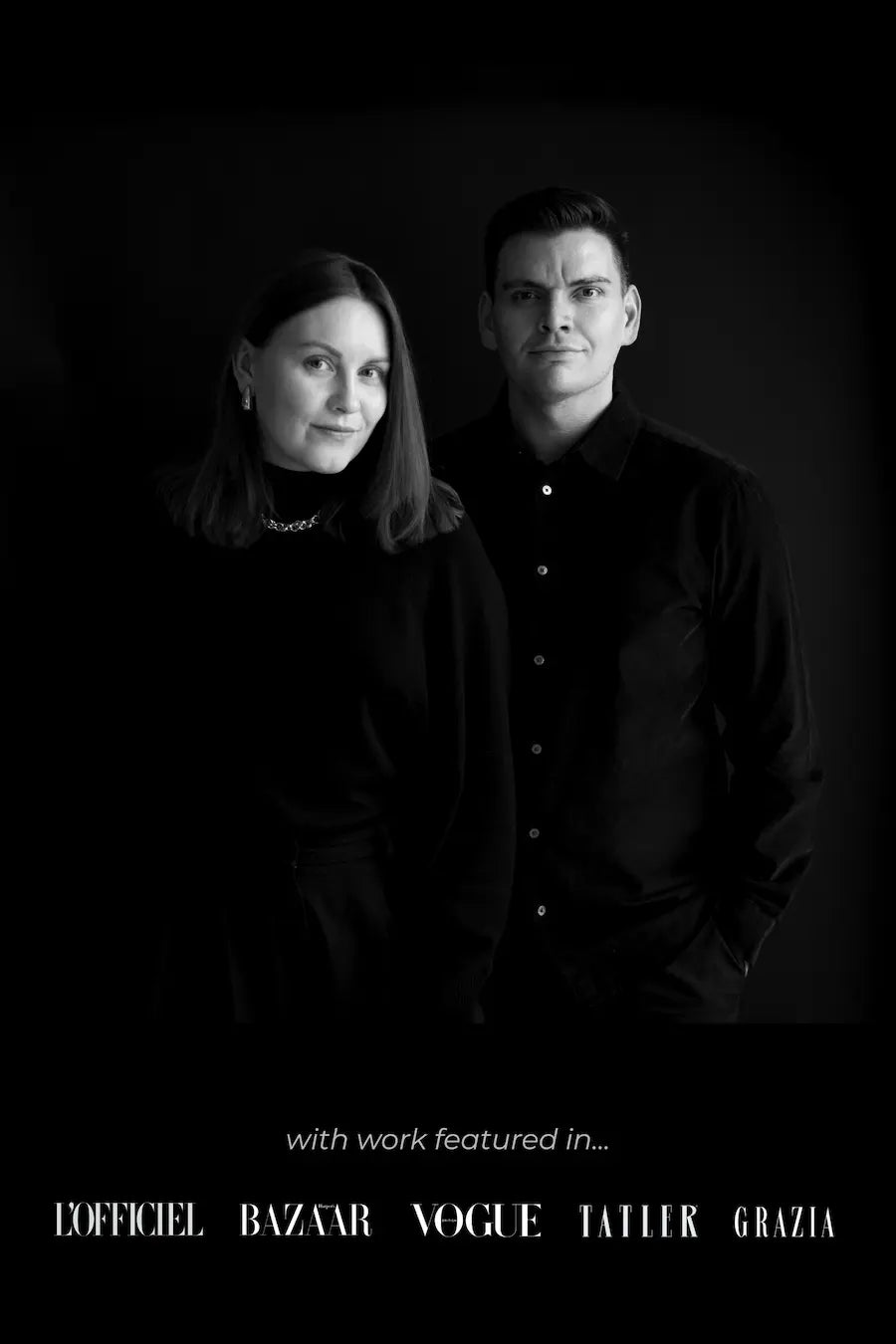
Editorial Wedding Photographers & Coaches
From the end of Runway Shows to the end of Aisles, our career has taken us from Photographing for top publications like Vogue at Fashion Weeks around the world, to capturing incredible weddings and private events and working at some of the most exclusive venues in the world.
Our own six-figure wedding photography business would never have been possible without our modern, editorial style, and now we’re sharing our exact look with the world.
Through our coaching, courses and products, we’ve helped Wedding Photographers and other wedding creatives finally feel confident in their businesses, unlock their creativity and see a level of success that they could have only dreamed of before.
We believe in giving creatives the tools they need to find financial success, and finally get their talents seen and recognised. The lessons we teach and the tools we share are what we wish we’d had access to when we started our journey.


